What a Listing Video Needs to Do
Put the price, the area, and the kind of home in the first frames. If those facts are missing, the viewer has no reason to keep watching.
Pick and Order Your Best Photos
Use the listing photos. A few clear shots beat many dull ones. Order them like a walk through the house.
Write a Hook for the First 3 Seconds
Say it like a text. "Just listed in The Heights. 3 beds." works. "Welcome to this stunning home" does not.
Add Captions, Price, Beds and Baths
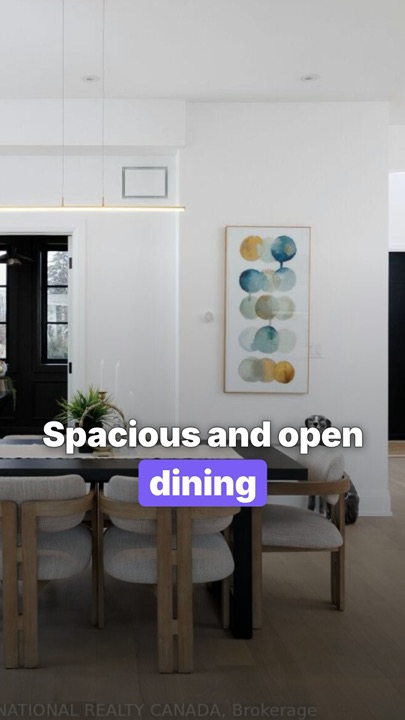
Put the price and the beds on screen so the video still works with the sound off. Keep those words away from the edges a thumb covers. Describe the house, not the buyer you hope for.
Choose Music You Can Legally Use
A song you like is not a song you can use on a listing. Instagram's licensed library is for personal, non-commercial use. Read Instagram's music rules and the longer note on music for real estate videos.
Export in 9:16 and Post
Export 1080 by 1920. One file can go to Reels, TikTok, Shorts, and Facebook. Watch it on your phone before you send it.
Make One From a Link With Listing Viral
Paste a public listing link into the listing video maker. The video uses the photos and facts on that page. It does not invent rooms. The first video is free. Pro is $25 a month, or $250 a year. See pricing.
Quick FAQs
How long should the video be?
Short enough for a Reel. Show the hook, the best rooms, and the facts.
Do I have to be on camera?
No. Photos, captions, and music are enough.
Can I use the same video everywhere?
Yes. One 9:16 file. Change the caption if you want.
What if I only have a minute?
Paste the listing link, check the words, then post.
Turn Your Next Listing Into a Reel
Paste a Zillow, Realtor.com, Redfin or MLS link. Your first video is free.
Links